
Capturas de pantalla


Detalles de la aplicación
- Actualizado
- Sep 19, 2008
- Idioma
- English
- Desarrollador
- Infoworks Technology
- Categoría
- Mobile
SoftPas en:
Este producto también está disponible en los siguientes idiomas:
Acerca de SpyRemover
Download SpyRemover – Malware Protection, Spyware Removal, PC Security
Overview
SpyRemover es una utilidad centrada en la seguridad diseñada para detectar y eliminar software malicioso de los ordenadores personales. Su objetivo principal es proteger los entornos digitales de los usuarios identificando y eliminando amenazas intrusivas como virus, registradores de teclas, spyware y adware. La aplicación responde a una necesidad crítica en el panorama de la ciberseguridad: proteger los datos personales sensibles del acceso no autorizado y la explotación. Con más de 38 000 tipos de malware en su base de datos de detección, SpyRemover ofrece una cobertura amplia contra amenazas conocidas, convirtiéndose en una herramienta relevante para personas preocupadas por la privacidad en línea y la integridad del sistema.
Los usuarios objetivo incluyen usuarios generales de ordenadores, especialmente aquellos que navegan frecuentemente por Internet o utilizan sistemas Windows antiguos. Dada su compatibilidad con sistemas operativos heredados como Windows 95, 98, Me, NT, 2000 y XP, sirve a una audiencia nicho que aún depende de plataformas obsoletas que pueden carecer de funciones de seguridad modernas. Esto hace que SpyRemover sea particularmente valioso para usuarios que no pueden actualizar sus sistemas debido a limitaciones de hardware o software.
Aunque no se reveló el historial del desarrollador, la larga presencia de la aplicación —lanzada el 19 de septiembre de 2008— sugiere una historia de funcionalidad sostenida. Su relevancia continua indica una solución estable, aunque anticuada, en un entorno de amenazas digitales que evoluciona rápidamente. En el ecosistema más amplio de aplicaciones, SpyRemover cubre una brecha para la protección de sistemas heredados, ofreciendo una herramienta especializada donde el software antivirus convencional puede ya no soportar plataformas antiguas.
Key Features & Functionality
- Broad Detection Range: The software is capable of identifying and removing more than 38,000 types of intrusive devices, including viruses, spyware, and adware. This extensive detection capability ensures that users are protected against a wide array of known threats, reducing the risk of data theft or system compromise.
- User-Friendly Interface: Designed with accessibility in mind, SpyRemover features a straightforward layout with simple controls and clear instructions. This makes it suitable for users of all technical levels, from beginners to experienced users, minimizing the learning curve and enabling quick deployment.
- Compatibility Across Systems: A key strength of the app is its support for multiple Windows operating systems, including Windows 95, 98, Me, NT, 2000, and XP. This broad compatibility allows users with older hardware and software to maintain a level of protection that may otherwise be unavailable.
- Real-Time Protection: When active, SpyRemover provides continuous monitoring of system activity, offering real-time defense against unauthorized access and malware installation. This proactive safeguard helps prevent infections before they can take root.
- Regular Updates: The software is periodically updated to address emerging threats and vulnerabilities. These updates ensure that the malware definitions remain current, helping users stay protected against new attack vectors and evolving cyber risks.
For example, a user running Windows XP on an older laptop can use SpyRemover to scan for and remove spyware that may have been introduced through unsecured websites. Similarly, someone managing sensitive documents on a legacy system can rely on the real-time protection to prevent keyloggers from capturing login credentials.
Interface, UX & Performance
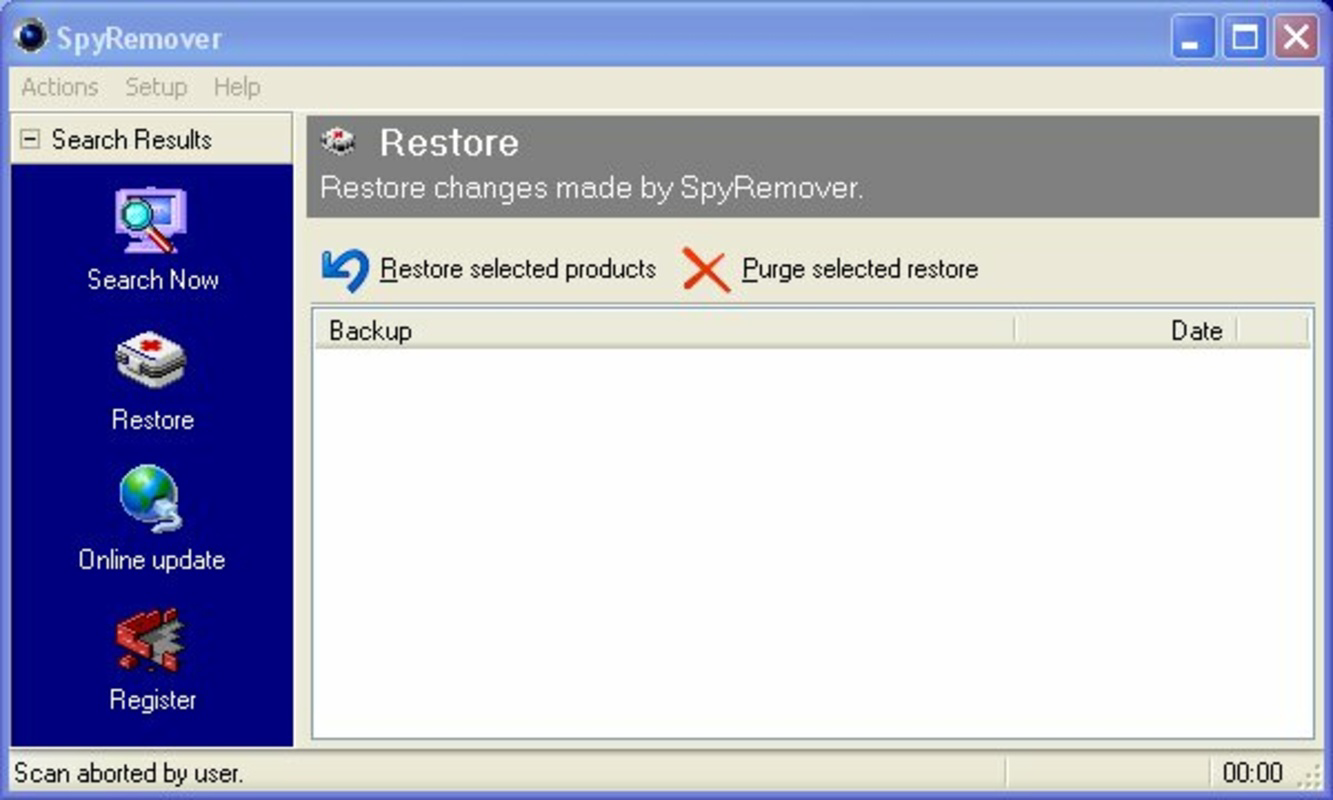
SpyRemover presents a clean, minimalistic interface that prioritizes clarity and ease of navigation. The layout is structured around core functions—scan, remove, and update—with intuitive icons and labeled buttons. This design reduces cognitive load, allowing users to perform essential tasks without confusion.
Navigation is linear and consistent across all screens, ensuring a predictable user experience. Even users with limited technical knowledge can initiate a scan, review results, and execute removals with minimal guidance. The software does not overload the interface with advanced settings, maintaining a focus on core functionality.
Although the developer did not list formal performance metrics, the app appears to operate efficiently within the constraints of older systems. It is designed to run in the background with minimal impact on CPU and memory usage, which is crucial for legacy hardware. Responsiveness is maintained during scans, and the system remains usable during most operations.
Stability appears to be a strength, as the app has remained in use for over a decade. However, no recent performance benchmarks or stress test data were provided. Users on modern systems may experience compatibility limitations, but for its intended audience, the app delivers a reliable and consistent experience.
Platform Compatibility & Technical Requirements
SpyRemover is designed for the Windows platform and supports a range of older operating systems, including Windows 95, 98, Me, NT, 2000, and XP. This wide compatibility allows it to function on systems that are no longer supported by many modern security tools.
The file size of the application is not specified in the provided data. However, given its age and purpose, it is likely to be relatively lightweight compared to contemporary antivirus software. The software version and release date are known—version not listed, released on September 19, 2008.
The developer did not specify minimum OS requirements beyond the listed systems. Compatibility with newer Windows versions such as Windows 10 or 11 was not confirmed. Users on modern systems may encounter installation or functionality issues due to outdated architecture and missing system dependencies.
Pros and Cons
- Supports legacy Windows systems (95–XP)
- Offers broad detection of over 38,000 malware types
- Simple, intuitive interface for non-technical users
- Provides real-time protection against threats
- Regular updates to maintain threat coverage
- Not compatible with modern Windows versions (10/11)
- No recent updates or developer transparency
- File size and technical specs not disclosed
- May lack defenses against zero-day or advanced persistent threats
- Outdated architecture may pose risks on current networks
FAQ
Is SpyRemover safe to download and install?
Yes, the software was released in 2008 and has been used by users on legacy systems. However, due to its age, it is recommended to scan the file with a modern antivirus before installation, especially on systems with internet access.
Can I use SpyRemover on Windows 10 or Windows 11?
Compatibility with Windows 10 or 11 was not confirmed. The app is officially designed for older systems. Running it on newer platforms may result in installation failure or instability.
Does SpyRemover require a subscription or payment?
The provided information does not specify pricing or licensing terms. It is possible the software is free to use, but no official details were included.
How often are SpyRemover updates released?
The software is described as being regularly updated to address new threats. However, no specific update frequency or release schedule was provided.
Is SpyRemover suitable for protecting sensitive personal data?
For users on supported legacy systems, SpyRemover can help protect against known malware types. However, it may not provide adequate defense against modern cyber threats or sophisticated attacks.
Final Thoughts
SpyRemover stands as a dedicated tool for users still operating on older Windows systems. Its ability to detect over 38,000 malware types and deliver real-time protection makes it a relevant option for maintaining a basic level of security on unsupported platforms. While its interface is user-friendly and its design prioritizes accessibility, the app’s age raises concerns about long-term viability and compatibility with modern threats.
It is best suited for individuals with legacy hardware or those who cannot upgrade their operating systems. For these users, SpyRemover offers a rare, accessible solution in a landscape dominated by modern, high-end security software. However, users on current systems should consider more up-to-date alternatives.
Despite its limitations, SpyRemover remains a functional tool for its intended audience. If you rely on an older Windows environment and seek a straightforward way to detect and remove malware, this app may still serve your needs.
Download SpyRemover now
Guías y tutoriales
Cómo instalar SpyRemover
- Haz clic en el botón Descargar de arriba.
- Cuando se te redirija, acepta los términos y haz clic en Instalar.
- Espera a que la descarga de SpyRemover termine en tu dispositivo.
Cómo usar SpyRemover
Este software se usa principalmente para las funciones principales descritas arriba. Abre la aplicación después de instalarla para explorar sus capacidades.
Reseñas de usuarios
Aún no hay reseñas. Sé el primero en compartir tu experiencia.
También te puede gustar
más
Que no te pillen¡
About !Que no te pillen¡Reviewed by Jason A. BilbreyShow MoreShow Less

3D Combat Zone
About 3D Combat ZoneOriginally released in 1983, 3D Combat Zone immerses players...

666: El día del portal
About 666: El día del portalOn June 6, 2006, Agent P. Stone uncovers a sinister...

80 in 1 Best Flash games
About 80 in 1 Best Flash games 80 in 1 Best Flash games is a collection of 80 fl...

ABYSS SEEKERーーWhat Do You See Deep in The Abyss
About ABYSS SEEKERーーWhat Do You See Deep in The AbyssIn ABYSS SEEKER, players...

ACA NEOGEO THE KING OF FIGHTERS 2002 for Windows
About ACA NEOGEO THE KING OF FIGHTERS 2002 for WindowsTHE KING OF FIGHTERS 2002,...